
티스토리 뷰
Exploring Langfuse: Self-Hosting Architecture & Feature Experiments
It Worked on My Cluster ⭐ 2026. 1. 25. 22:37This post summarizes the architecture of Langfuse, a detailed guide on experimenting with its core features (Tracing, Evaluation, Sessions, Prompts), and troubleshooting tips for self-hosting.
Reference: Langfuse Self-Hosting Architecture
Architecture

1) Langfuse Web
- Main Server Application: Provides both the UI and API.
- Responsibilities: Handles browser-based UI interactions and processes internal/external API requests.
- Role: Serves as the entry point for the user interface and data input for projects/traces.
2) Langfuse Worker
- Asynchronous Task Processor: Handles background jobs.
- Mechanism: Dequeues events received by the main server and performs post-processing.
- Role: Offloads heavy tasks such as loading data into Clickhouse to ensure system performance.
Storage (Data Layer)
3) Postgres
- Transactional & Relational Data Store.
- Manages operational data such as users, projects, and API keys.
4) Clickhouse
- High-Performance OLAP Database for Analytics.
- Stores massive amounts of logs and metrics like traces, observations, and scores, enabling fast query processing.
5) Redis / Valkey Cache
- Fast Memory Cache & Queue Storage.
- Used for caching API keys and managing temporary queue states, reducing the load on the database.
6) S3 / Blob Storage
- Large Object Storage.
- Stores large events, attached files, multimedia traces, backups, and export files.
External Integration
7) LLM API / Gateway
- External LLM Calls/Gateway.
- Connects to model provider APIs (e.g., OpenAI, custom LLM gateways).
- Essential for features that rely on external models, such as evaluations and response quality checks.
Architectural Key Patterns
- Decoupled Processing:
- The Web component focuses on fast responses, while the Worker handles heavy lifting, ensuring scalability and performance.
- Storage Optimization:
- Postgres: OLTP (Configuration, state, relational data).
- Clickhouse: OLAP (Massive logs, trace analysis).
- Redis: Fast temporary storage, cache, and queues.
- S3/Blob: Persistence for large files and raw event payloads.
- Flexible Deployment:
- Supports various environments ranging from local Docker setups to Kubernetes and Terraform-based cloud deployments.
Experiment
1. Tracing
Tracing is the core feature of Langfuse. By using the Langfuse SDK, API calls are automatically linked to the platform when the following environment variables are set:
# LANGFUSE_PUBLIC_KEY
# LANGFUSE_SECRET_KEY
# LANGFUSE_HOST
For testing, I used the openai library wrapped by Langfuse to call litellm.
from langfuse.openai import openai
- Integration Flow: I used the Application → (Langfuse) → LiteLLM configuration.
- Note: While you can use Application → LiteLLM → Callback (Langfuse), the proxy method (wrapping the client) allows capturing request/response data even if LiteLLM itself is not configured to log.

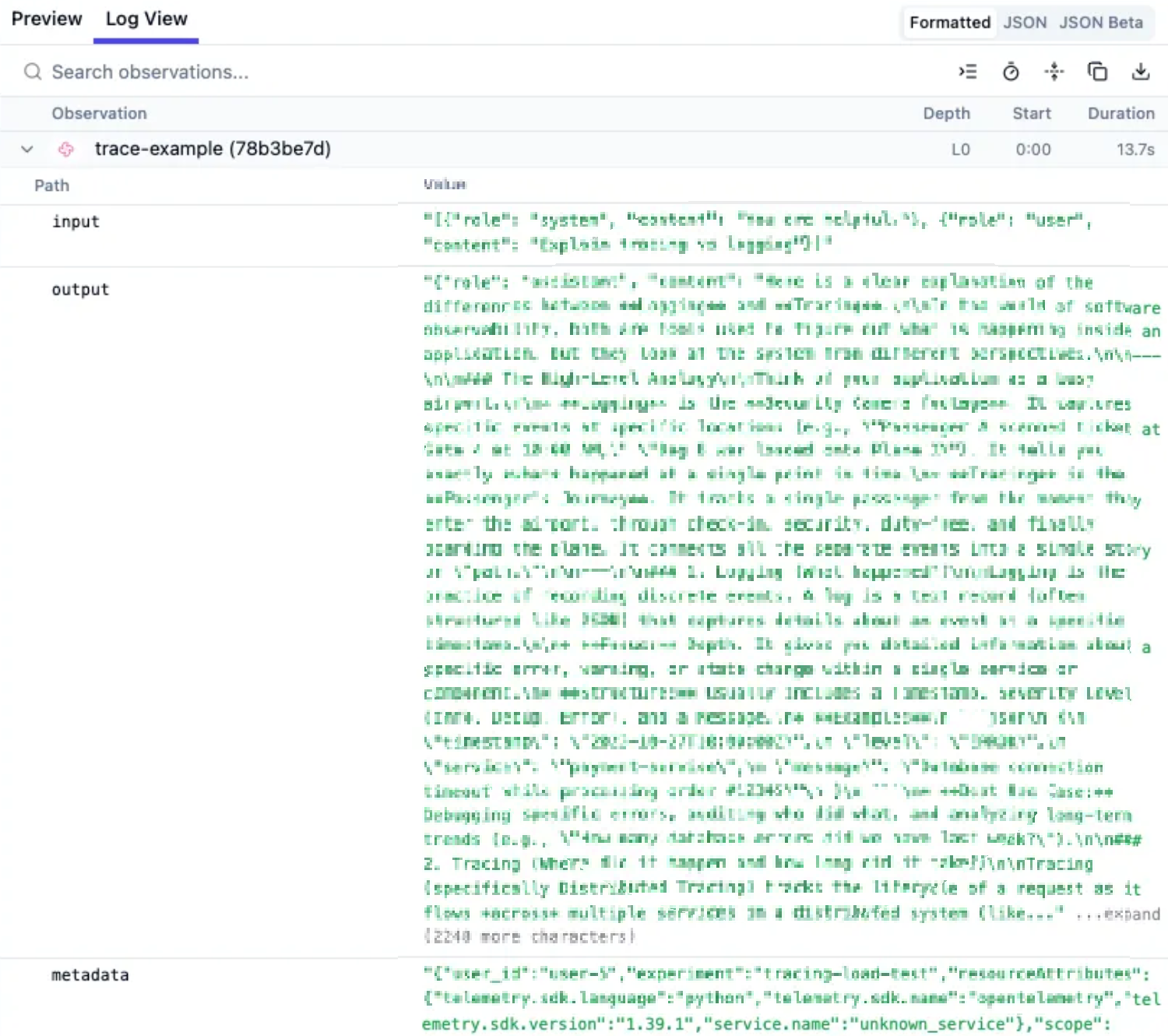
- Masking: Langfuse does not have built-in masking for specific fields. this must be handled on the client side before sending the request.
- Trace Features: You can categorize tasks using various features like trace.span.
FeatureDescriptionExample Usage
| Span | Tracks nested operations | Document retrieval, API calls |
| Generation | Tracks LLM calls | OpenAI, Anthropic calls |
| Event | Logs general events | User actions, errors |
| Score | Evaluation/Feedback | Relevance, Quality, Hallucination |
| Session | Tracks sessions | User conversation flow |
| Tags | Filtering via tags | production, v2, rag |
| Metadata | Additional metadata | Experiment ID, version info |
| Environment | Environment distinction | production, staging, dev |
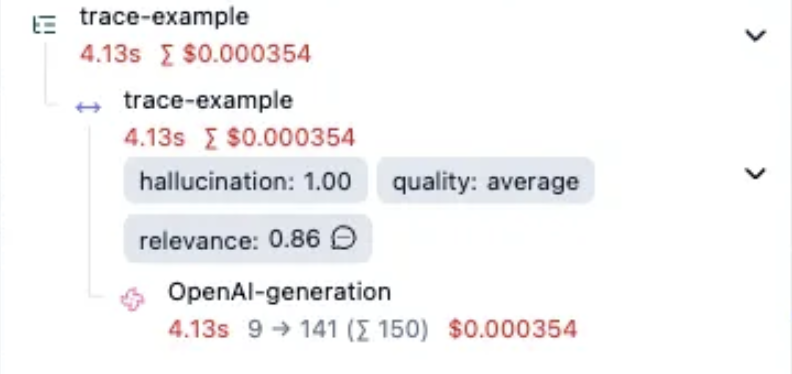
- Trace Score Example:
            trace.score(
                name="relevance",
                value=round(random.uniform(0.7, 1.0), 2),
                comment="Auto-evaluated relevance"
            )

            trace.score(
                name="quality",
                value=random.choice(["excellent", "good", "average"]),
            )

            trace.score(
                name="hallucination",
                value=random.choice([0, 1]),
            )
2. Evaluator
Langfuse provides various built-in evaluators and supports custom ones.
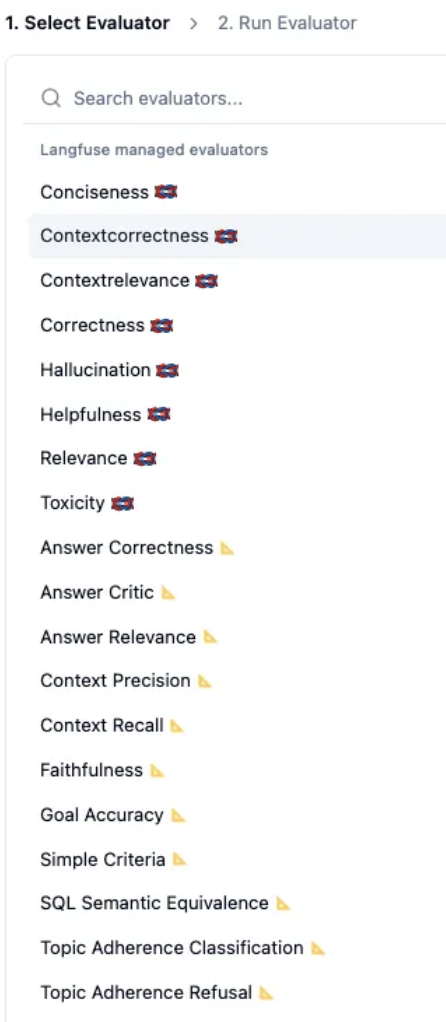
For convenience, I configured the endpoint to use litellm.
- Note: Evaluators can run on new traces as well as historical traces.
Creating & Testing a Custom Evaluator
Goal: Create a custom evaluator to detect hallucinations. We will send two random requests: one where the system ignores instructions (hallucination) and one where it responds correctly, and see how the evaluator scores them.
- Setup: Referencing question, context, and answer variables. Using the registered litellm model as the judge.
- Invocation Code: In the code, I set reference_context in metadata to provide the ground truth for evaluation.
        test_cases = [
        {"q": "What is Langfuse?", "c": "Langfuse is an open-source LLM observability solution.", "fail": False},
        {"q": "What is Langfuse?", "c": "Langfuse is an open-source LLM observability solution.", "fail": True}
        ]

        openai.chat.completions.create(
            name="trace-example",
            model=model,
            messages=[
                {"role": "system", "content": sys_msg},
                {"role": "user", "content": case['q']},
            ],
            input=case['q'],
            metadata={
                "reference_context": case['c'],
                "is_hallucination_test": case["fail"]
            }
        )
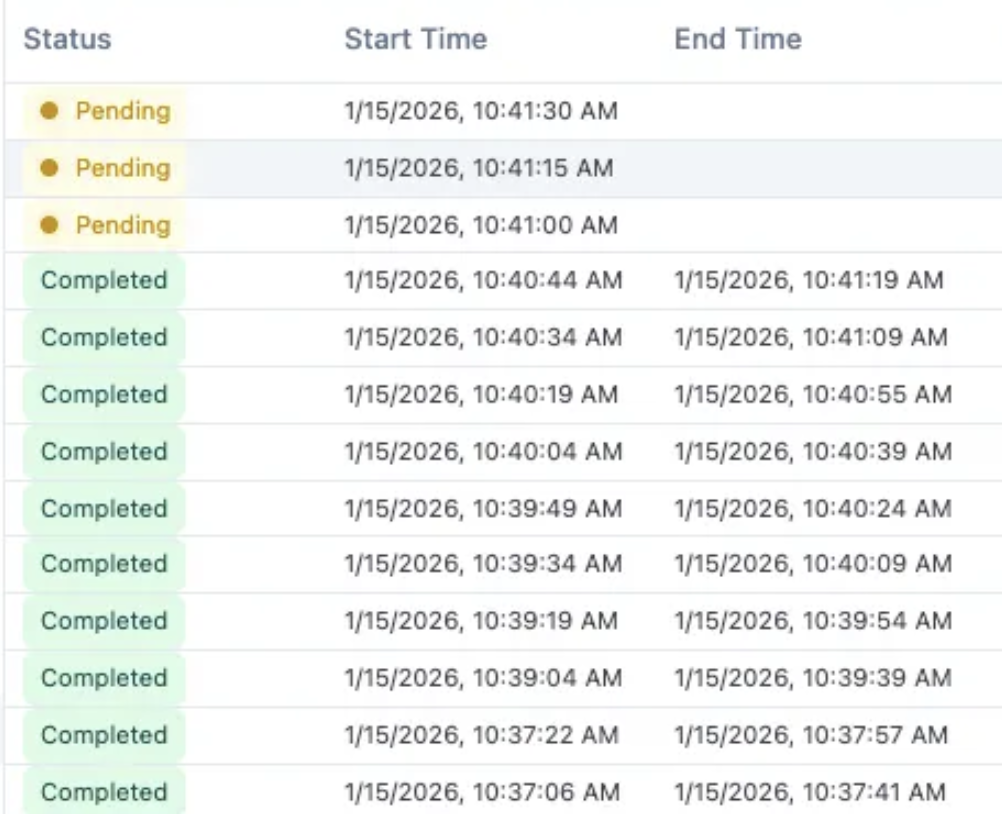
- Evaluator Value Mapping:
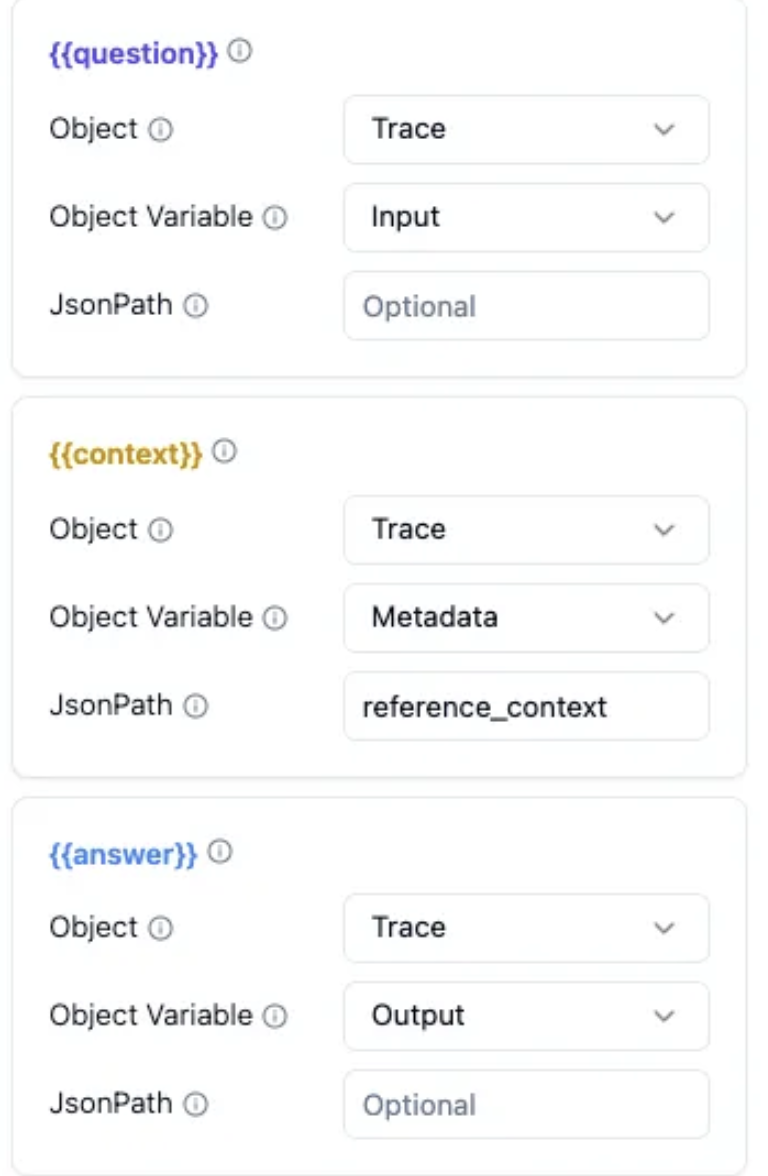
- Result: The incorrect response received a 0, and the correct response received a 1. Although processing takes some time, the evaluation works correctly.
3. Session
You can group API calls by session ID.
    with propagate_attributes(
        session_id=session_id,
        user_id=user_id
    )
- Benefits: You can track costs and traces grouped by session. Inside a session, you can annotate or add comments to specific communication logs.

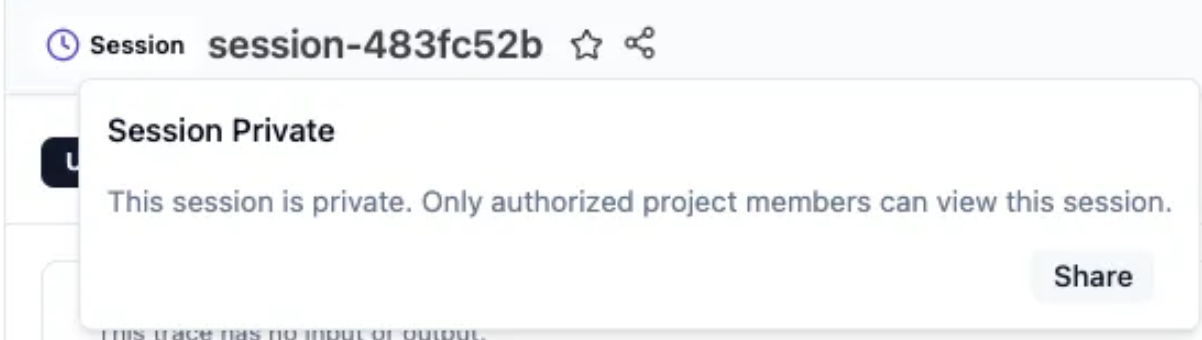
- Public Sharing: An entire session can be shared publicly via a link (viewable without login).
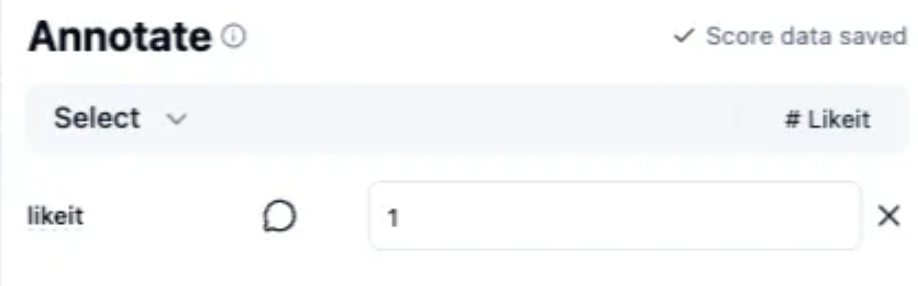
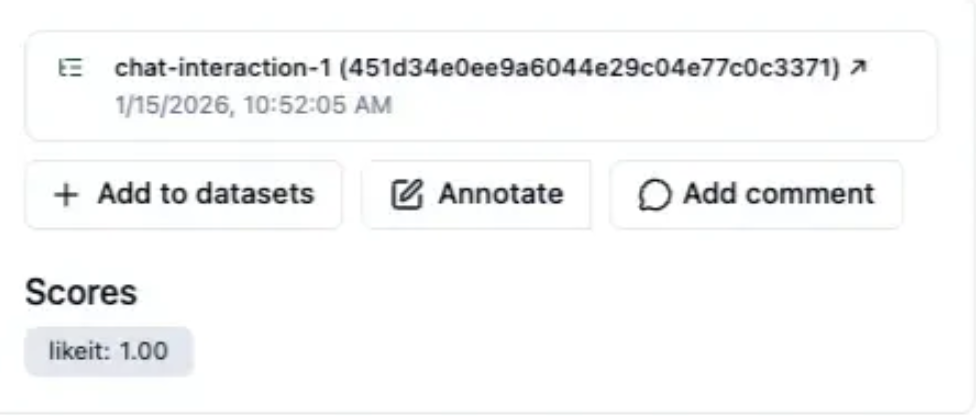
- Manual Scoring (Ground Truth): Using the "annotate" feature, you can create custom scores and manually evaluate responses. Accumulated scores serve as Ground Truth for future improvements.
4. Prompt Management
The Prompt page allows you to execute experiments per prompt and organize incoming requests. It is very granular and well-structured.
Prompt Invocation
While you can invoke prompts without explicitly using the langfuse_prompt object, it is highly recommended to use it to ensure proper versioning and metadata tracking.
    with propagate_attributes(session_id="session-prompt-test"):
        response = openai.chat.completions.create(
            model=model,
            messages=[
                {"role": "system", "content": langfuse_prompt.prompt},
                {"role": "user", "content": user_question}
            ],
            langfuse_prompt=langfuse_prompt,
            metadata={"test_mode": "prompt_management"}
        )
Creating a Prompt
When creating a prompt, you can configure:
- Production labels
- Config (Model-specific configs in JSON)
- Commit messages

Prompt Versioning
Version management is straightforward.
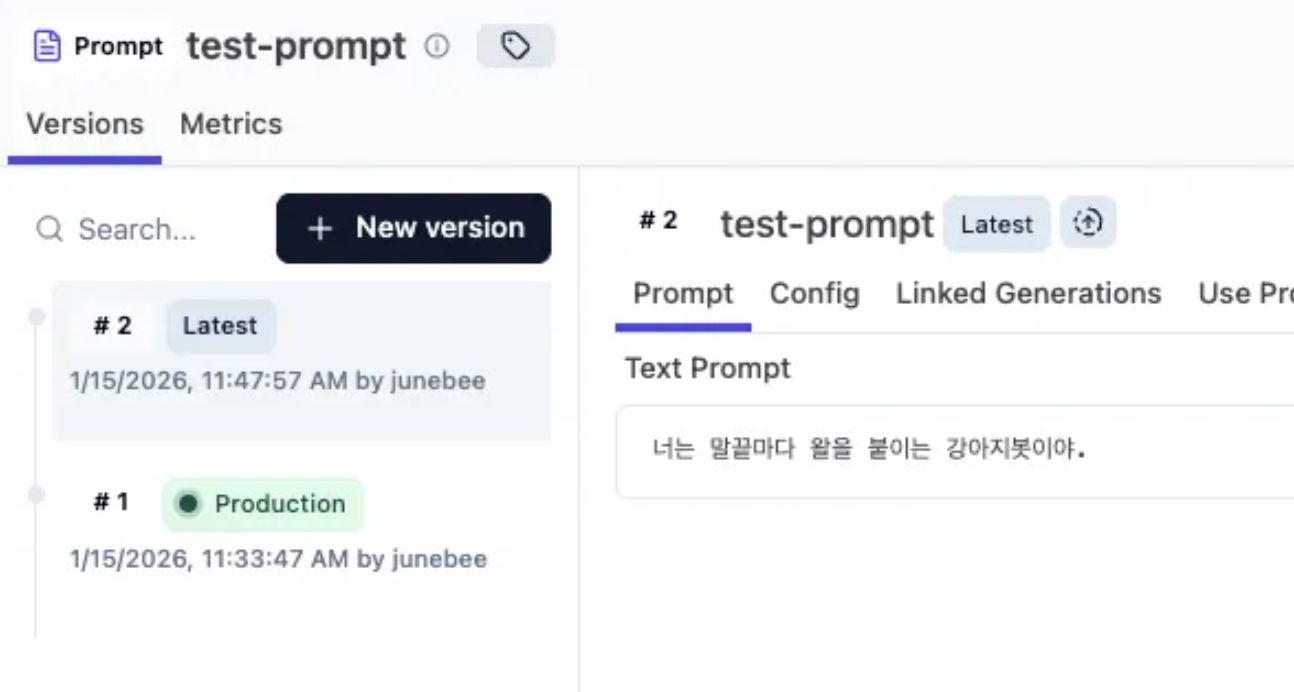
You can specify a version or label when fetching a prompt via API.
from langfuse import Langfuse

# Initialize Langfuse client
langfuse = Langfuse()

# Get production prompt
prompt = langfuse.get_prompt("test-prompt")

# Get by label (e.g., 'latest')
prompt = langfuse.get_prompt("test-prompt", label="latest")

# Get by specific version (not recommended for production code)
langfuse.get_prompt("test-prompt", version=2)
Prompt Evaluating
- Create Dataset: Add data to a dataset via the sidebar or other methods.
- Add from Tracing: In the tracing view, identify a correct response and click add to datasets.
- Tip: Simple text prompts will fail evaluation. You must ensure Langfuse can identify variables like input or question to inject values during the experiment.
- Run Evaluation: Select the evaluation metric and run.
- Note: This requires significant customization and consideration of your specific service logic.

Troubleshooting
1. LiteLLM Environment Variables in LLM Connection
Issue: When trying to register LiteLLM in "LLM Connection," I couldn't find a place to input environment variables directly in the UI. and saw the "Missing environment variable: `ENCRYPTION_KEY` error message."
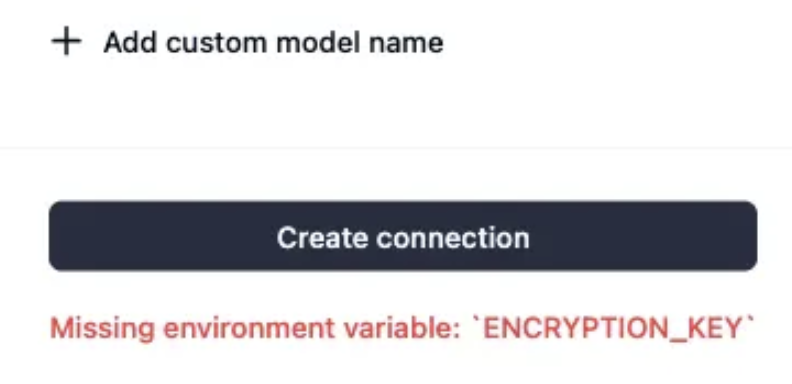
Solution:
- You must set the value in langfuse.encryptionKey.
- In the Helm Chart, you need to manage all secret key values by creating secrets or explicitly defining them.
- I encountered similar issues with PostgreSQL and Clickhouse secrets. It is much easier to define all necessary secrets explicitly at the beginning of the setup.
2. Installation/Migration Error
Issue: I kept encountering a "Dirty database version" error during installation/upgrade. (Application expected 368 schemas, but found 369).
Script executed successfully.
...
error: Dirty database version 34. Fix and force version.
Applying clickhouse migrations failed. This is mostly caused by the database being unavailable.
Exiting...
Solution:
- This occurred on Helm Chart version 1.15.16.
- The issue was resolved by upgrading to version 1.15.17.
- Note: I am running PostgreSQL and Clickhouse as single instances, not in cluster mode.
'연구하고탐구하고공부하고 > AI' 카테고리의 다른 글
| [LiteLLM] Managing MCP Servers test with LiteLLM (0) | 2026.01.30 |
|---|---|
| [Gemini] Performance Comparison by Region and Analysis of 429 Errors (0) | 2026.01.28 |
- Total
- Today
- Yesterday
- M1세팅
- 데몬셋업데이트
- self-hosting
- ArgoRollouts
- langfuse
- k8s스터디
- k8s study
- LLM Ops
- jmx exporter
- Gemini Region Comparison
- 맥북초기셋팅
- 맥북창정렬
- 맥북프로m1세팅
- k8s job
- Gemini PerformanceTest
- 맥북개발자세팅
- sk브로드밴드 nas
- kubectl
- k8s
- k8s pod
- 쿠버네티스
- 데몬셋
- 맥북초기세팅
- LLM Evaluation
- LLM Observability
- synology nas router manual setup
- 429 Too Many Request
- 쿠버네티스 기초
- litllme mcp
- prompt engineering
| 일 | 월 | 화 | 수 | 목 | 금 | 토 |
|---|---|---|---|---|---|---|
| 1 | 2 | 3 | 4 | 5 | 6 | |
| 7 | 8 | 9 | 10 | 11 | 12 | 13 |
| 14 | 15 | 16 | 17 | 18 | 19 | 20 |
| 21 | 22 | 23 | 24 | 25 | 26 | 27 |
| 28 | 29 | 30 |